If you are an aspiring digital artist, chances are you would jump at the chance to make a little cash off some of your work. If you are already a professional,
I'm sure you wouldn't mind a little cash on the side.
Digital art can be a very broad
category. Artists can focus on 3d modeling/rendering, 2d painting, or even photography and photograph manipulation. Often times a single artist is skilled in all of these things. Fortunately, no matter what kind of digital art you are in to, there is an opportunity to make money from it online.
3d Artists3d artists cover a large spectrum of skills. Many of the products they create on a day to day basis are actually worth something if sold online. For example, suppose you are a 3d artist making an image of a
character inside of a room. The model of that
character, plus all the other objects that fill the room are all worth money. The textures you created to colorize those objects can also be valuable. Finally, if you are good enough, the final image can be sold as a print.
Probably the most well known sites for selling these types of objects is
Turbosquid.
Turbosquid allows users to upload their textures, models, materials, stock images, video footage, and even soundbites. It is completely free to setup an account. The only catch is that
Turbosquid takes a cut of your profits. You only make 50% of the profit off of your products. This seems a little steep, but actually it is quite typical of other 3d model sites as well. Remember, you are allowed to set your own price for your products, and some artists make a pretty nice amount of cash.
The drawback to a site like
Turbosquid is that it is hard to get your stuff noticed. Just like selling anything else online, you have to show up first when someone searches. With
Turbosquid it often takes a lot of really high quality work over a long period of time to really start making any money. If you can get noticed though, and continually upload nice stuff, it can be a pretty good deal.
Keep in mind, there are many other sites for selling models. One example is 3d02.com, the link for which can be found on the sidebar of this page.
As far as selling your final images,
Turbosquid is not the site for this. There are many other sites around the web for selling images like the ones that many artists create in 3d. Popular images include fantasy and
anime art, but all different kinds of images are saleable. A very prominent website for this is
Deviant Art. For 3d artists, some times a nice rendering can be a great success! Many of you may be familiar with the
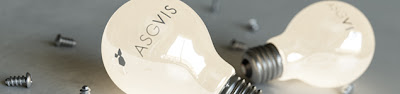
Vray rendering of a
light bulb plugging itself in. It's called
Self Illumination and it is one of the top sellers of all time on Deviant Art. Check it out right
here.
It used to be that you had to get 1,000 views on one of your images in order to be
eligible to put it up for sale in the print shop. This was no small task on a site that has millions of images, and thousands more being added every minute. Fortunately, the site and its store have recently been revamped. Now, everyone is
eligible for the basic printing account. Images still need to be high enough quality that they will be accepted, but in general this is not hard to do. Once you make a print available, it can be purchased in several different sizes and on many different kinds of paper, including canvas! Pretty cool.
2d ArtistsMany of the same principles discussed above apply here as well. If you are a texture artist, sell your stuff on
TurboSquid. If you are in digital painting
DeviantArt is definitely the place for you to be. The vast majority of the images there are digital paintings, and the most popular ones are "fantasy" type art.
Another outlet for 2d artists to sell their stuff is on stock image sites. Usually people think of these sites as photography only but this of course is not true. In fact, some of the best sellers are sometime vector graphics. Many times a simple little icon or logo become very popular. Some of these sites let you upload actual vector files from illustrator for customers to purchase.
These sites don't usually have the right target audience for a lot of pixel art or painting (vector graphics are much more popular here), but some can still be successful if created with a stock image in mind. An example is one of my works
here, posted on Fotolia.com. It is just a little cartoon I did quickly and for fun, so I don't expect it to sell much, but at least it gets some attention.
Fotolia is my favorite stock image site. There are many others but Fotolia suits my needs best. Other sites can be hard to get accepted to. You have to have a pretty good portfolio of professional work before they will even let you on. Fotolia is much easier. They review each image on an individual basis. They also accept lower resolution images then many other sites.
The way it works is that photographers and illustrators from around the world upload their images. Designers search these images and purchase them for either 1, 2, or 3 dollars. When someone buys one of your images, you get half. This doesn't seem like much, but many people have thousands of images on there, and some images will sell a few times each day! That could be a nice little supplement to any income. One of the cooles things about Fotolia is that they offer a buyout option on your images, meaning you can set a price at which someone could purchase exclusive rights of your image, up to $2,000! Not bad.
Photographers
If you are a photographer trying to make some cash online, then read the two sections above. They both apply here as well.
If you use photography to make textures,
Turbosquid is the site for you.
If you take stock photos and want to sell them,
Fotolia is the site for you.
Fi you take artistic shots and want to sell prints,
Deviant Art is the site for you.
Also, if you are a photographer, don't underestimate the power of Flickr. It is a great tool for networking and getting your work noticed. And that brings me to my next subject...
Marketing Your ImagesAgain, don't underestimate the power of sites like
Flickr.com (and don't forget to join
our group there either). You can upload any kind of image you want to this site, and by joining groups and adding contacts you can easily build a nice following for you work. Try it out.
I would suggest networking A LOT on Flickr and then also linking your profile there to a website. Why not try a free website like
blogger.com for example. You can use these websites to market your work by building traffic then placing links to the various sites where your work is available for purchase. This can be the deciding factor on whether or not your work gets noticed.
Conclusion
There are several different ways to use your digital art for profit online, and this is just a basic overview. In the end, it doesn't matter how many different ways there are to make money unless your product is GOOD! And don't forget, this can be a lot of work, but it can also be very rewarding.
Good Luck.